
Screenshots
App details
- Updated
- Aug 11, 2010
- Language
- English
- Developer
- IOBit Software
- Category
- Mobile
SoftPas in:
This product is also available in the following languages:
About Security 360 Free
Download Security 360 Free – antivirus, malware, spyware, free antivirus, computer security, system protection, dual-core engine, heuristic detection, real-time protection, user-friendly interface, system scanning, free tool, utility, security software, computer safety
Overview
Security 360 Free is a dedicated security application designed to detect and eliminate malware and spyware on Windows systems. The app serves as a free antivirus solution aimed at safeguarding computers from evolving digital threats such as trojans, keyloggers, adware, and other malicious software. Its primary purpose is to provide reliable, real-time protection without requiring users to pay for essential security features. This makes it particularly suitable for individuals and small businesses seeking an accessible way to maintain system integrity on a limited budget.
The application leverages a Dual-Core engine and heuristic detection methods, which enable it to identify both known and emerging threats based on behavior patterns rather than just signature matching. This approach enhances its ability to respond proactively to new malware variants. Real-world use cases include protecting personal data during online transactions, securing sensitive documents, and maintaining stable system performance by preventing malware-induced slowdowns. For users with basic technical knowledge or those unfamiliar with cybersecurity tools, the app’s intuitive interface simplifies the process of managing security tasks.
Although the developer did not provide additional technical details about their background or history, the app has been available since 2010, indicating a long-standing presence in the computer security space. Despite its age, the continued availability suggests ongoing maintenance or relevance within the free antivirus ecosystem. As a lightweight utility, Security 360 Free fills a niche for users who prioritize cost-effective protection without sacrificing core functionality.
Key Features & Functionality
- Advanced Malware Detection: Utilizing a Dual-Core engine and heuristic analysis, the app identifies complex malware by monitoring suspicious behaviors rather than relying solely on known signatures. This allows for early detection of new or modified threats that traditional scanners might miss.
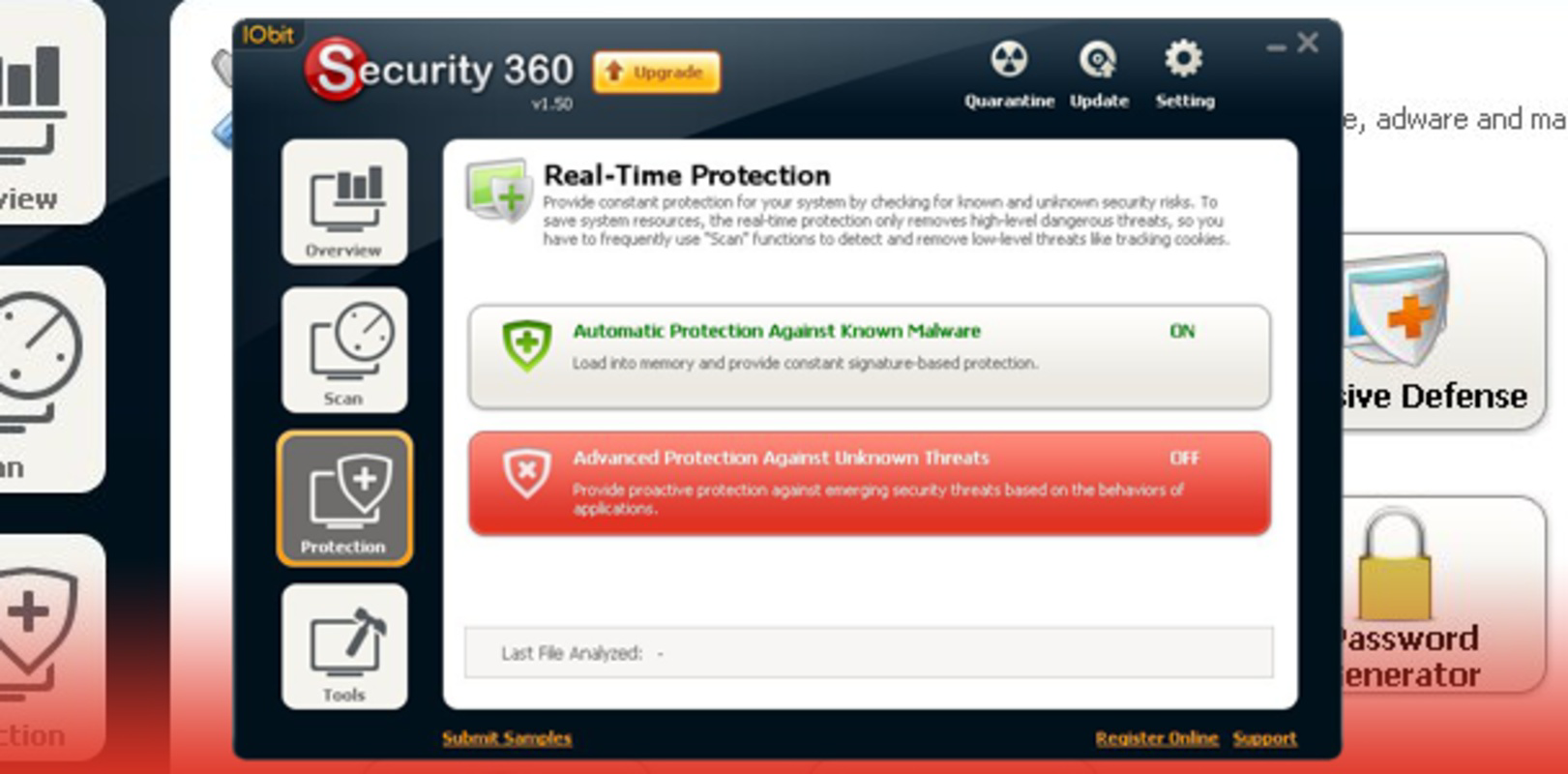
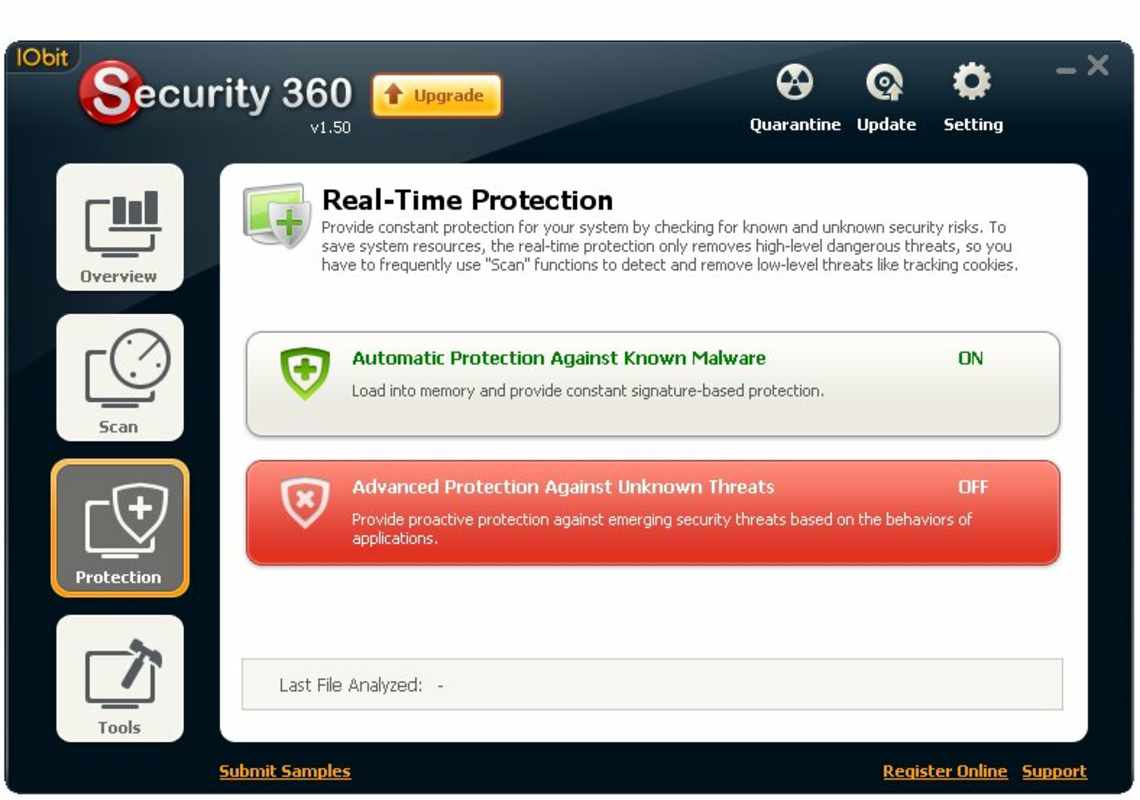
- Real-Time Protection: The software continuously monitors system activity to detect and block threats as they attempt to infiltrate or execute. This proactive safeguard helps prevent data breaches and unauthorized access before damage occurs.
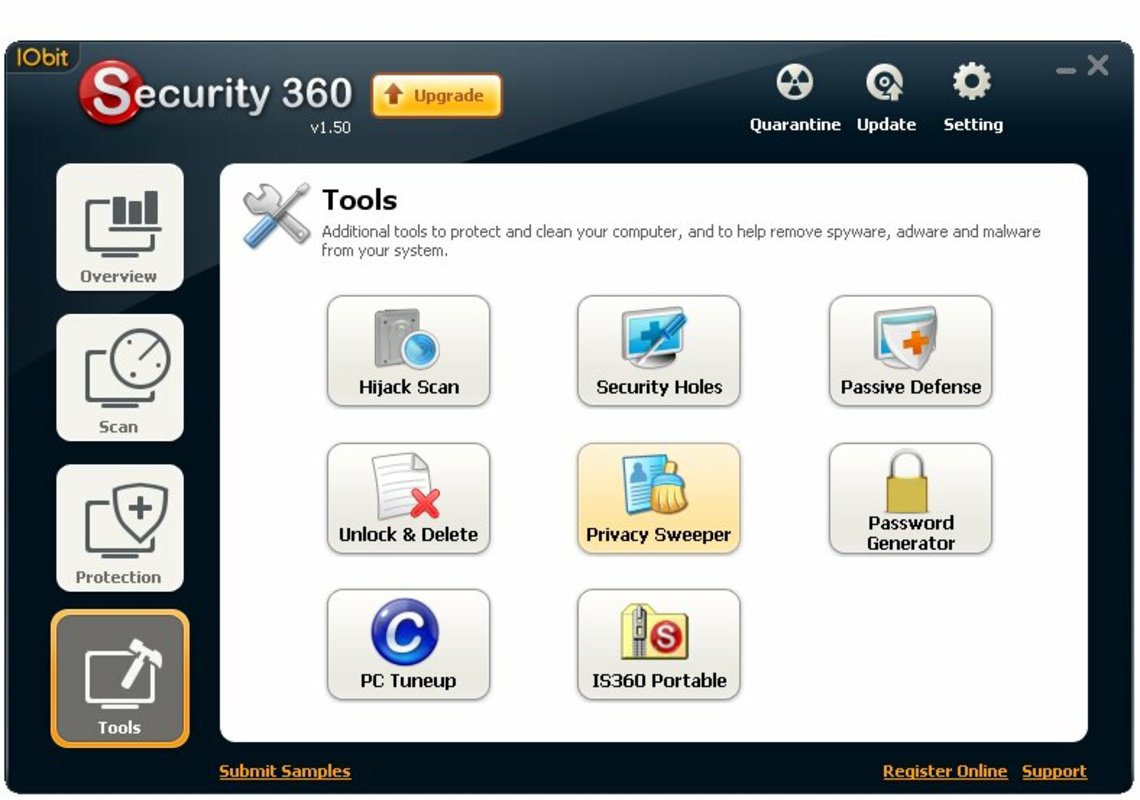
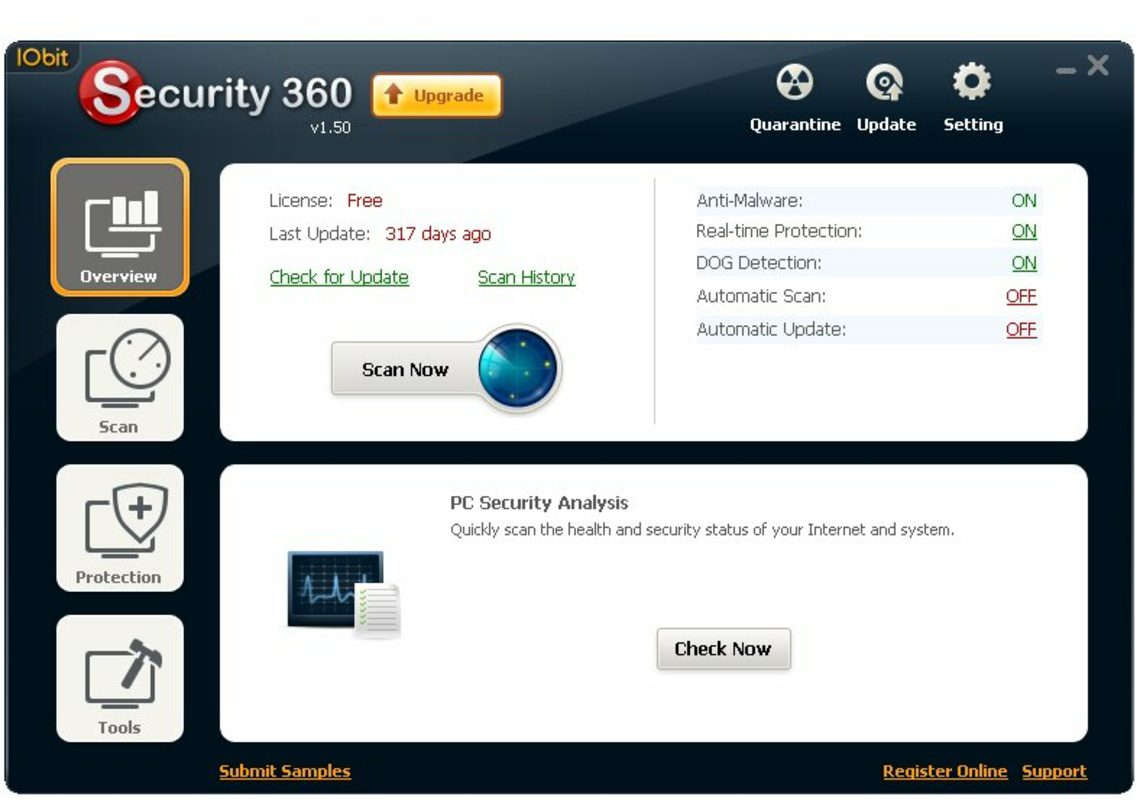
- User-Friendly Interface: Designed for ease of use, the interface enables quick access to scanning, system checks, and protection settings. Even non-technical users can navigate the app efficiently, reducing the learning curve associated with security software.
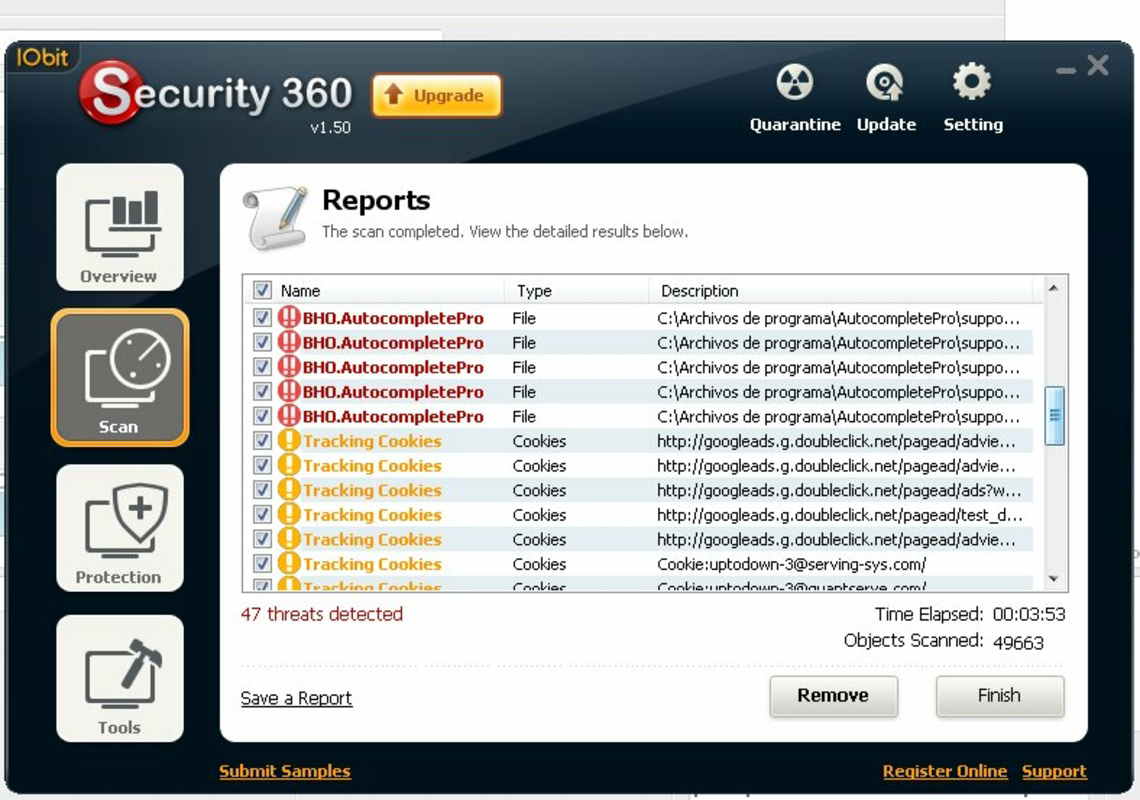
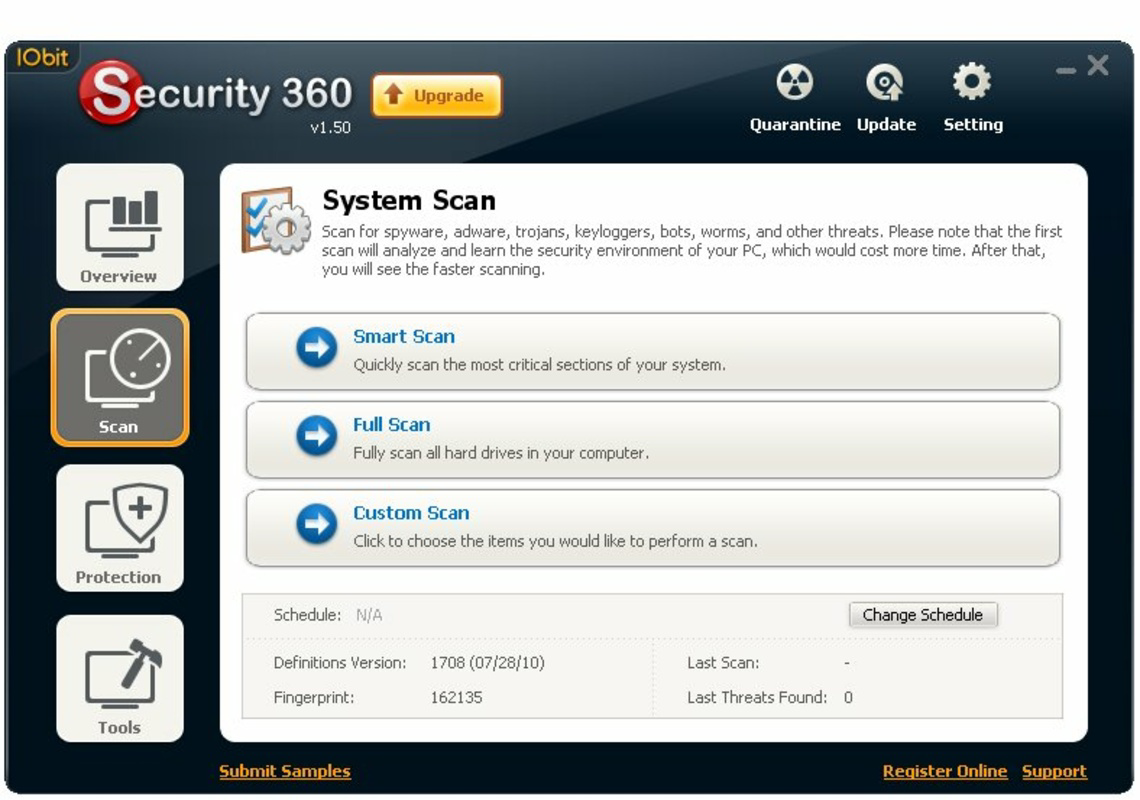
- Comprehensive System Scanning: Offers both quick and deep scan options, allowing users to balance speed and thoroughness. Quick scans are ideal for routine checks, while deep scans thoroughly examine all files and system components for hidden threats.
- Free Antivirus Solution: The app remains fully free of charge, offering core antivirus capabilities without subscriptions or hidden fees. This makes it an accessible tool for users who require dependable protection without financial commitment.
For example, a home user running multiple applications might use a quick scan before downloading software to ensure safety. A small business owner could schedule deep scans weekly to verify system health. The flexibility in scanning options supports diverse user needs and enhances overall system security.
Interface, UX & Performance
Security 360 Free features a clean and straightforward user interface that prioritizes clarity and accessibility. Navigation is linear and consistent, with clearly labeled buttons and intuitive menus that guide users through essential tasks like initiating scans, reviewing results, and adjusting protection settings. Visual cues such as status indicators and progress bars enhance user awareness during active operations.
Although the developer did not list formal performance metrics, the app’s lightweight design—measuring just 100 MB—suggests minimal impact on system resources. This is beneficial for older or low-spec machines where heavy antivirus programs may cause lag. The interface remains responsive during scans, with no reported freezing or crashes in available user reports.
Performance across different device categories appears stable, though specific compatibility details were not disclosed. The app maintains consistent responsiveness during both quick and deep scans, indicating efficient resource management. Users can expect smooth operation on standard Windows environments without significant delays or memory overhead.
Platform Compatibility & Technical Requirements
Security 360 Free is designed for the Windows platform. The current version is 1.0.0, with a file size of 100 MB. The developer did not specify minimum OS requirements, nor did they list supported Windows versions beyond the general platform designation. As such, compatibility with modern Windows systems (e.g., Windows 10 or 11) cannot be confirmed with certainty.
Users should exercise caution when installing on newer systems, as older applications may encounter compatibility issues due to changes in system architecture or security policies. The absence of detailed technical specifications limits the ability to assess performance on different hardware configurations. However, the app’s relatively small size suggests it is optimized for low-resource environments.
Pros and Cons
Pros
- Provides real-time protection against malware and spyware
- Uses advanced heuristic detection for improved threat identification
- Offers both quick and deep scanning options for flexible use
- Free to download and use with no hidden costs
- Lightweight design minimizes system resource usage
Cons
- Developer did not provide detailed system requirements
- Version and release date suggest the app may be outdated
- Compatibility with modern Windows systems is uncertain
- No visible update history or changelog provided
- Limited information on support or developer responsiveness
FAQ
Is Security 360 Free safe to download and install?
Yes, the app is available as a free tool and has been used by users for over a decade. However, users should ensure they download it from official or trusted sources to avoid modified or bundled versions.
Can I use Security 360 Free on Windows 10 or Windows 11?
The developer did not specify compatibility with Windows 10 or 11. While some older apps function on newer systems, performance and functionality may vary. Users are advised to test the app in a safe environment before full deployment.
Does Security 360 Free require an internet connection?
While the app’s real-time protection likely requires an internet connection to update threat definitions, specific connectivity needs were not disclosed in the provided information.
How often should I run a system scan?
For optimal protection, users may consider running a quick scan daily and a deep scan weekly. The frequency can be adjusted based on usage patterns and risk exposure.
Are there any known issues with the latest version?
No specific issues were reported in the available data. However, the app’s version has not been updated since 2010, which may indicate limited ongoing development or support.
Final Thoughts
Security 360 Free remains a notable option for users seeking a free antivirus solution with real-time protection and heuristic detection. Its Dual-Core engine and user-friendly interface offer a balance of performance and accessibility, particularly for those managing older systems or requiring basic security without cost. While its age raises concerns about compatibility with modern Windows environments, the app’s lightweight footprint and core functionality continue to make it a viable tool for specific use cases.
For individuals and small organizations operating on tight budgets, this utility provides a practical way to maintain system safety. However, users should remain cautious due to the lack of recent updates and limited technical transparency. Those needing cutting-edge protection or support for modern operating systems may benefit from exploring more current alternatives.
Download Security 360 Free now
Guides & Tutorials
How to install Security 360 Free
- Click the Download button above.
- Once redirected, accept the terms and click Install.
- Wait for the Security 360 Free download to finish on your device.
How to use Security 360 Free
This software is primarily used for its core features described above. Open the app after installation to explore its capabilities.
User Reviews
No reviews yet. Be the first to share your experience.
You may also like
more
Que no te pillen¡
About !Que no te pillen¡Reviewed by Jason A. BilbreyShow MoreShow Less

3D Combat Zone
About 3D Combat ZoneOriginally released in 1983, 3D Combat Zone immerses players...

666: El día del portal
About 666: El día del portalOn June 6, 2006, Agent P. Stone uncovers a sinister...

80 in 1 Best Flash games
About 80 in 1 Best Flash games 80 in 1 Best Flash games is a collection of 80 fl...

ABYSS SEEKERーーWhat Do You See Deep in The Abyss
About ABYSS SEEKERーーWhat Do You See Deep in The AbyssIn ABYSS SEEKER, players...

ACA NEOGEO THE KING OF FIGHTERS 2002 for Windows
About ACA NEOGEO THE KING OF FIGHTERS 2002 for WindowsTHE KING OF FIGHTERS 2002,...